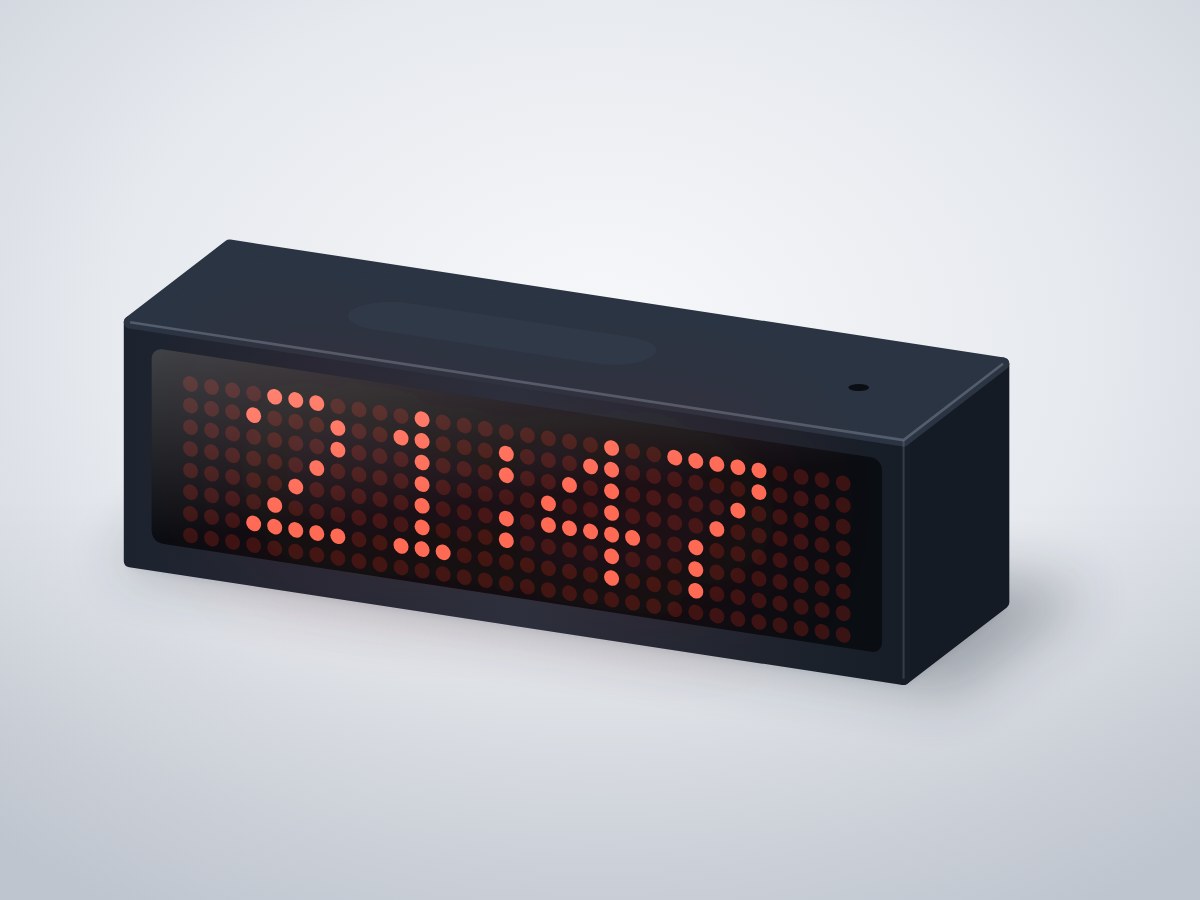
A retro LED matrix clock that sets itself over Wi-Fi, dims automatically at night and scrolls the date and room temperature when you tap the top. No buttons, no setting the time after a power cut.
- Board
- ESP32 DevKit V1
- Difficulty
- Beginner
- Build time
- ~2 hours
- Parts cost
- ~₹2,200
Wi-Fi LED matrix clock
Electrical6₹1,698
Microcontroller1₹704
Power1₹106
Display1₹572
Module2₹141
Sensor1₹176
Mechanical7₹502
3D printed1₹220
Hardware6₹282
How it works
Bedside clocks are either too bright at night or too dim in the day, and they all need resetting after a power cut. This one fixes both.
An ESP32 gets the exact time from the internet and drives a 32 × 8 red LED matrix. A light sensor adjusts the brightness every second, from bright enough in a sunny room to a faint glow in the dark. Tap the capacitive pad on top to scroll the date.
The matrix needs 5 V signals, so a 74AHCT125 buffer translates the ESP32's 3.3 V outputs. That one chip is the difference between a clock that works on the bench and one that works on every unit.
Typical online prices in USD; they vary by supplier and quantity. Shop links search for the exact part number.
Drag to pan, scroll to zoom, hover a wire to trace it.
Pin map
| From | To | Wire | Purpose |
|---|---|---|---|
| VBUS USB-C 5 V input module | VIN ESP32 DevKit V1 | Red | 5 V to board |
| GND USB-C 5 V input module | GND ESP32 DevKit V1 | Black | Common ground |
| VBUS USB-C 5 V input module | VCC 32 × 8 LED matrix display | Red | 5 V to matrix |
| GND ESP32 DevKit V1 | GND 32 × 8 LED matrix display | Black | Ground |
| VBUS USB-C 5 V input module | VCC Logic level buffer | Red | Power |
| GND ESP32 DevKit V1 | GND Logic level buffer | Black | Ground |
| GPIO23 ESP32 DevKit V1 | A1 Logic level buffer | Blue | Data 3.3 V |
| GPIO18 ESP32 DevKit V1 | A2 Logic level buffer | Green | Clock 3.3 V |
| GPIO13 ESP32 DevKit V1 | A3 Logic level buffer | Yellow | Select 3.3 V |
| Y1 Logic level buffer | DIN 32 × 8 LED matrix display | Blue | Data 5 V |
| Y2 Logic level buffer | CLK 32 × 8 LED matrix display | Green | Clock 5 V |
| Y3 Logic level buffer | CS 32 × 8 LED matrix display | Yellow | Select 5 V |
| 3V3 ESP32 DevKit V1 | VCC Ambient light sensor | Red | Power |
| GND ESP32 DevKit V1 | GND Ambient light sensor | Black | Ground |
| GPIO21 ESP32 DevKit V1 | SDA Ambient light sensor | Blue | Signal |
| GPIO22 ESP32 DevKit V1 | SCL Ambient light sensor | Green | Signal |
| 3V3 ESP32 DevKit V1 | VCC Capacitive touch pad | Red | Power |
| GND ESP32 DevKit V1 | GND Capacitive touch pad | Black | Ground |
| GPIO27 ESP32 DevKit V1 | IO Capacitive touch pad | Purple | Tap |
Tools & assumptions
Tools
- Soldering iron and solder
- Wire stripper
- Small Phillips screwdriver
- 3D printer or a printing service
Assumptions
- Arduino IDE 2 with the ESP32 board package
- Your Wi-Fi name and password
Prepare
0/1- 1.1
Print the case and cut the front
3D printer or a printing serviceCase bodyMechanicalSmoked acrylic front, 2 mmMechanical
Wire
0/3- 2.1
Wire power
Main controllerESP32 DevKit V1USB-C 5 V input moduleUSB-C 5V breakout (16-pin)32 × 8 LED matrix displayMAX7219 4-in-1 FC-16 moduleLogic level buffer74AHCT125 breakout - 2.2
Wire through the buffer
32 × 8 LED matrix displayMAX7219 4-in-1 FC-16 moduleLogic level buffer74AHCT125 breakout - 2.3
Wire the light sensor and touch pad
Ambient light sensorBH1750 (GY-302)Capacitive touch padTTP223 touch module
Program
0/1- 3.1
Flash
Test
0/1- 4.1
Test dimming and tap
Ambient light sensorBH1750 (GY-302)
Assemble
0/1- 5.1
Close the case
Small Phillips screwdriver32 × 8 LED matrix displayMAX7219 4-in-1 FC-16 moduleCapacitive touch padTTP223 touch moduleSmoked acrylic front, 2 mmMechanical
Install first: MD_Parola, MD_MAX72XX, BH1750 by Christopher Laws
#include <WiFi.h>
#include <Wire.h>
#include <BH1750.h>
#include <MD_Parola.h>
#include <MD_MAX72xx.h>
#include <SPI.h>

const char* WIFI_NAME = "your-wifi";
const char* WIFI_PASS = "your-password";
const char* TZ_INFO   = "IST-5:30";          // POSIX time zone string

const int CS_PIN = 13, TOUCH_PIN = 27;
MD_Parola matrix(MD_MAX72XX::FC16_HW, CS_PIN, 4);   // hardware SPI: MOSI 23, SCK 18
BH1750 light;
char text[32];

void setup() {
  pinMode(TOUCH_PIN, INPUT);
  Wire.begin(21, 22);
  light.begin();
  matrix.begin();
  matrix.setIntensity(2);
  matrix.displayText("WiFi...", PA_CENTER, 0, 0, PA_PRINT);
  matrix.displayAnimate();
  WiFi.begin(WIFI_NAME, WIFI_PASS);
  while (WiFi.status() != WL_CONNECTED) delay(250);
  configTzTime(TZ_INFO, "pool.ntp.org", "time.google.com");
}

void loop() {
  struct tm now;
  if (!getLocalTime(&now)) return;

  float lux = light.readLightLevel();
  matrix.setIntensity(constrain((int)(log10(max(lux, 1.0f)) * 3), 0, 7));   // 0 = faint, 7 is about 300 mA

  if (digitalRead(TOUCH_PIN) == HIGH) {
    strftime(text, sizeof text, "%a %d %b", &now);
    matrix.displayClear();
    matrix.displayScroll(text, PA_LEFT, PA_SCROLL_LEFT, 40);
    while (!matrix.displayAnimate()) delay(5);
  }

  strftime(text, sizeof text, now.tm_sec % 2 ? "%H:%M" : "%H %M", &now);
  matrix.displayText(text, PA_CENTER, 0, 0, PA_PRINT);
  matrix.displayAnimate();
  delay(200);
}
After flashing, open the serial monitor to see live readings from your board.
- Every wire lands on a real pin19 connections checked against the ESP32 DevKit V1 pinout.
- Pins match what each part needsPWM, analog, I²C and input-only rules all hold.
- No pin is double-bookedEach signal pin drives one part; shared buses are wired correctly.
- Supply voltages matchEvery part is on a rail it is rated for.
- Signal levels are compatibleAll parts work with 3.3 V logic.
- Everything shares a common groundAll parts with a GND pin are connected.
- Current draw is within limits~3 mA from the board, 1% of what the ESP32 DevKit V1 can supply.
- Everything fits in the enclosure4 parts placed inside a 140 × 40 × 40 mm case with no overlaps.
Before you buy parts in bulk or sell what you build, have a qualified engineer review the design.
Discussion
No comments yet. Ask a question, share your build, or suggest an improvement.
Sign in to join the discussion.