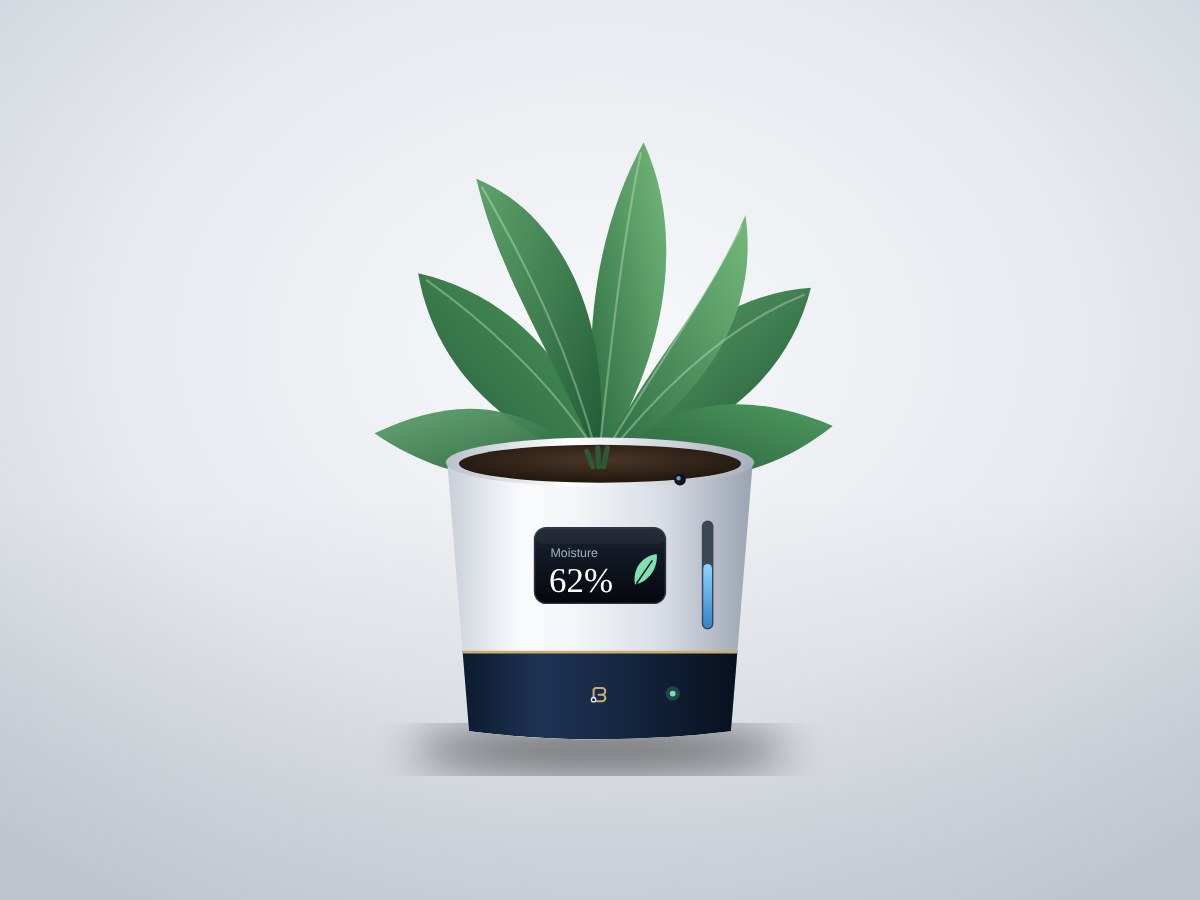
A self-watering planter with a 1.5 litre reservoir. An ESP32 reads soil moisture, light and the water level, waters the plant through a quiet pump when the soil is dry, shows the plant's status on a small screen, and serves a Wi-Fi dashboard customers can open on their phone.
- Board
- ESP32 DevKit V1
- Difficulty
- Intermediate
- Build time
- ~4 hours
- Parts cost
- ~₹3,027
Smart self-watering planter
Electrical9₹2,138
Microcontroller1₹704
Power1₹106
Sensor4₹660
Display1₹352
Actuator1₹308
Passive1₹9
Mechanical6₹889
3D printed3₹686
Hardware3₹202
How it works
People overwater or forget. This planter takes both mistakes away: it waters only when the soil is actually dry, and it tells you when the reservoir needs a refill.
A capacitive probe in the soil and a light sensor in the lid report every few seconds. When moisture drops below the target for the chosen plant, a logic-level MOSFET switches a 5 V pump for a few seconds and the water soaks in before the next check. A float switch stops the pump when the reservoir runs low, so it never runs dry.
The electronics sit in a sealed compartment under the pot, powered from a single USB-C adapter. Customers see moisture, light and water level on the OLED screen, or on their phone over Wi-Fi.
Typical online prices in USD; they vary by supplier and quantity. Shop links search for the exact part number.
Drag to pan, scroll to zoom, hover a wire to trace it.
Pin map
| From | To | Wire | Purpose |
|---|---|---|---|
| VBUS USB-C 5 V input module | VIN ESP32 DevKit V1 | Red | 5 V to board |
| GND USB-C 5 V input module | GND ESP32 DevKit V1 | Black | Common ground |
| 3V3 ESP32 DevKit V1 | VCC Capacitive soil moisture sensor v2.0 | Red | Power |
| GND ESP32 DevKit V1 | GND Capacitive soil moisture sensor v2.0 | Black | Ground |
| GPIO34 ESP32 DevKit V1 | AOUT Capacitive soil moisture sensor v2.0 | Yellow | Moisture |
| 3V3 ESP32 DevKit V1 | VCC Ambient light sensor | Red | Power |
| GND ESP32 DevKit V1 | GND Ambient light sensor | Black | Ground |
| GPIO21 ESP32 DevKit V1 | SDA Ambient light sensor | Blue | I²C data |
| GPIO22 ESP32 DevKit V1 | SCL Ambient light sensor | Green | I²C clock |
| 3V3 ESP32 DevKit V1 | VCC 0.96" OLED display | Red | Power |
| GND ESP32 DevKit V1 | GND 0.96" OLED display | Black | Ground |
| GPIO21 ESP32 DevKit V1 | SDA 0.96" OLED display | Blue | Signal |
| GPIO22 ESP32 DevKit V1 | SCL 0.96" OLED display | Green | Signal |
| GPIO27 ESP32 DevKit V1 | SIG Water level float switch | Purple | Water level |
| GND ESP32 DevKit V1 | GND Water level float switch | Black | Ground |
| GPIO26 ESP32 DevKit V1 | SIG Logic-level MOSFET switch module | Orange | Pump on/off |
| GND ESP32 DevKit V1 | GND Logic-level MOSFET switch module | Black | Ground |
| VBUS USB-C 5 V input module | PWR+ Logic-level MOSFET switch module | Red | 5 V to pump |
| LOAD+ Logic-level MOSFET switch module | + 5 V submersible mini pump | Red | Power |
| LOAD- Logic-level MOSFET switch module | - 5 V submersible mini pump | Black | Ground |
| K Flyback diode | + 5 V submersible mini pump | White | Flyback diode |
| A Flyback diode | - 5 V submersible mini pump | White | Signal |
Tools & assumptions
Tools
- Soldering iron and solder
- Wire stripper
- Small Phillips screwdriver
- Multimeter
- 3D printer (PETG) or a printing service
Assumptions
- Arduino IDE 2 with the ESP32 board package
- Your home Wi-Fi name and password for setup
Prepare
0/1- 1.1
Print the planter and compartment
3D printer (PETG) or a printing serviceWater level float switchSide-mount float switch, PPPlanter shell with 1.5 L reservoirMechanicalElectronics compartment and lidMechanical
Wire
0/4- 2.1
Mount the boards
Small Phillips screwdriverMain controllerESP32 DevKit V1USB-C 5 V input moduleUSB-C 5V breakout (16-pin)0.96" OLED displaySSD1306 0.96in I2C OLEDLogic-level MOSFET switch moduleAO3400 MOSFET moduleElectronics compartment and lidMechanicalM3 screws and brass standoffsMechanical - 2.2
Connect power
Main controllerESP32 DevKit V1USB-C 5 V input moduleUSB-C 5V breakout (16-pin)Logic-level MOSFET switch moduleAO3400 MOSFET module - 2.3
Connect the sensors
Capacitive soil moisture sensor v2.0Capacitive Soil Moisture Sensor v2.0Ambient light sensorBH1750 (GY-302)0.96" OLED displaySSD1306 0.96in I2C OLEDWater level float switchSide-mount float switch, PP - 2.4
Connect the pump and diode
Soldering iron and solderWire stripperLogic-level MOSFET switch moduleAO3400 MOSFET module5 V submersible mini pumpJT-DC3L 5V pumpFlyback diode1N5819 Schottky
Program
0/1- 3.1
Flash the firmware
0.96" OLED displaySSD1306 0.96in I2C OLEDPlanter shell with 1.5 L reservoirMechanical
Test
0/1- 4.1
Calibrate and test
Capacitive soil moisture sensor v2.0Capacitive Soil Moisture Sensor v2.0Water level float switchSide-mount float switch, PP5 V submersible mini pumpJT-DC3L 5V pumpPlanter shell with 1.5 L reservoirMechanical
Assemble
0/1- 5.1
Seal and assemble
Water level float switchSide-mount float switch, PP5 V submersible mini pumpJT-DC3L 5V pumpPlanter shell with 1.5 L reservoirMechanicalElectronics compartment and lidMechanicalSilicone lid gasketMechanicalPG7 cable glandMechanical
Install first: Adafruit SSD1306, Adafruit GFX Library, BH1750 by Christopher Laws
#include <WiFi.h>
#include <WebServer.h>
#include <Wire.h>
#include <BH1750.h>
#include <Adafruit_GFX.h>
#include <Adafruit_SSD1306.h>

// ---- Wi-Fi ----
const char* WIFI_NAME = "your-wifi";
const char* WIFI_PASS = "your-password";

// ---- Pins (match the wiring diagram) ----
const int SOIL_PIN  = 34;  // analog
const int FLOAT_PIN = 27;  // LOW = water present
const int PUMP_PIN  = 26;  // MOSFET SIG

// ---- Calibration ----
const int DRY = 3200, WET = 1300;
const int WATER_BELOW = 35;          // percent
const unsigned long PUMP_MS = 3000;
const unsigned long REST_MS = 10UL * 60 * 1000;

BH1750 light;
Adafruit_SSD1306 oled(128, 64, &Wire, -1);
WebServer server(80);
unsigned long lastWatered = 0;
int moisture = 0; float lux = 0; bool hasWater = true;

int readMoisture() {
  long sum = 0;
  for (int i = 0; i < 10; i++) { sum += analogRead(SOIL_PIN); delay(5); }
  return constrain(map(sum / 10, DRY, WET, 0, 100), 0, 100);
}

void showStatus(const char* note) {
  oled.clearDisplay();
  oled.setTextColor(SSD1306_WHITE);
  oled.setTextSize(1); oled.setCursor(0, 0); oled.print("Moisture");
  oled.setTextSize(3); oled.setCursor(0, 12); oled.print(moisture); oled.print("%");
  oled.setTextSize(1); oled.setCursor(0, 44); oled.printf("Light %d lux", (int)lux);
  oled.setCursor(0, 56); oled.print(hasWater ? note : "Refill water");
  oled.display();
}

void handleRoot() {
  String html = "<meta name=viewport content='width=device-width'><style>body{font-family:sans-serif;padding:24px}</style>";
  html += "<h2>Your plant</h2><p>Moisture: " + String(moisture) + "%</p><p>Light: " + String((int)lux) + " lux</p>";
  html += "<p>Water: " + String(hasWater ? "OK" : "Please refill") + "</p>";
  server.send(200, "text/html", html);
}

void setup() {
  pinMode(PUMP_PIN, OUTPUT); digitalWrite(PUMP_PIN, LOW);
  pinMode(FLOAT_PIN, INPUT_PULLUP);
  Wire.begin(21, 22);
  light.begin();
  oled.begin(SSD1306_SWITCHCAPVCC, 0x3C);
  WiFi.begin(WIFI_NAME, WIFI_PASS);
  for (int i = 0; i < 40 && WiFi.status() != WL_CONNECTED; i++) delay(250);
  server.on("/", handleRoot);
  server.begin();
  showStatus(WiFi.status() == WL_CONNECTED ? WiFi.localIP().toString().c_str() : "Offline mode");
}

void loop() {
  server.handleClient();
  static unsigned long lastRead = 0;
  if (millis() - lastRead < 3000) return;
  lastRead = millis();

  moisture = readMoisture();
  lux = light.readLightLevel();
  hasWater = digitalRead(FLOAT_PIN) == LOW;

  bool rested = lastWatered == 0 || millis() - lastWatered > REST_MS;
  if (moisture < WATER_BELOW && hasWater && rested) {
    showStatus("Watering...");
    digitalWrite(PUMP_PIN, HIGH); delay(PUMP_MS); digitalWrite(PUMP_PIN, LOW);
    lastWatered = millis();
  }
  showStatus(moisture < WATER_BELOW ? "Resting" : "Happy plant");
}
After flashing, open the serial monitor to see live readings from your board.
- Every wire lands on a real pin22 connections checked against the ESP32 DevKit V1 pinout.
- Pins match what each part needsPWM, analog, I²C and input-only rules all hold.
- No pin is double-bookedEach signal pin drives one part; shared buses are wired correctly.
- Supply voltages matchEvery part is on a rail it is rated for.
- Signal levels are compatibleAll parts work with 3.3 V logic.
- Everything shares a common groundAll parts with a GND pin are connected.
- Current draw is within limits~26 mA from the board, 5% of what the ESP32 DevKit V1 can supply.
- Everything fits in the enclosure5 parts placed inside a 120 × 90 × 40 mm case with no overlaps.
Before you buy parts in bulk or sell what you build, have a qualified engineer review the design.
Discussion
No comments yet. Ask a question, share your build, or suggest an improvement.
Sign in to join the discussion.