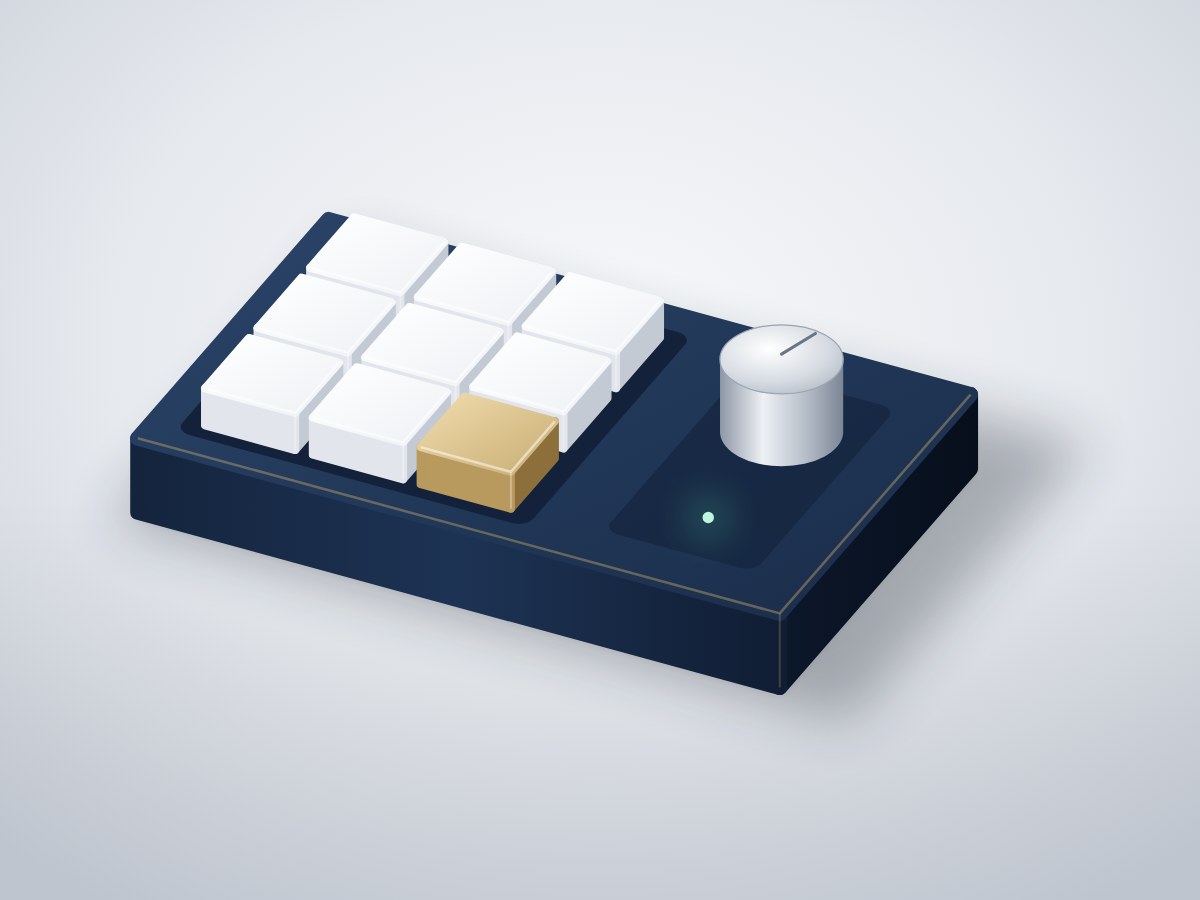
A nine-key wireless shortcut pad with a volume knob. It pairs with any laptop or phone as a Bluetooth keyboard, so one press can copy, paste, mute a call or run a shortcut.
- Board
- ESP32 DevKit V1
- Difficulty
- Intermediate
- Build time
- ~3 hours
- Parts cost
- ~₹1,962
Bluetooth macro keypad
Electrical5₹1,311
Microcontroller1₹704
Power1₹106
Display1₹396
Sensor1₹79
Actuator1₹26
Mechanical21₹651
3D printed2₹352
Hardware19₹299
How it works
Video editors, developers and anyone on back-to-back calls repeat the same key combinations hundreds of times a day. This keypad puts them under one finger.
Nine mechanical switches are wired as a 3 × 3 matrix with a diode on each key, so any combination of keys can be held at once. A rotary encoder with a push switch controls volume and mute. The ESP32 appears as a Bluetooth keyboard named "Blueprint Keys"; no software is needed on the computer.
The key map is a simple table at the top of the sketch. A single RGB LED shows the connection state: blue while pairing, green when connected.
Typical online prices in USD; they vary by supplier and quantity. Shop links search for the exact part number.
Drag to pan, scroll to zoom, hover a wire to trace it.
Pin map
| From | To | Wire | Purpose |
|---|---|---|---|
| VBUS USB-C 5 V input module | VIN ESP32 DevKit V1 | Red | 5 V to board |
| GND USB-C 5 V input module | GND ESP32 DevKit V1 | Black | Common ground |
| GPIO13 ESP32 DevKit V1 | ROW1 3 × 3 key matrix | Yellow | Row 1 |
| GPIO14 ESP32 DevKit V1 | ROW2 3 × 3 key matrix | Yellow | Row 2 |
| GPIO27 ESP32 DevKit V1 | ROW3 3 × 3 key matrix | Yellow | Row 3 |
| GPIO32 ESP32 DevKit V1 | COL1 3 × 3 key matrix | Green | Column 1 |
| GPIO33 ESP32 DevKit V1 | COL2 3 × 3 key matrix | Green | Column 2 |
| GPIO25 ESP32 DevKit V1 | COL3 3 × 3 key matrix | Green | Column 3 |
| GPIO18 ESP32 DevKit V1 | A Rotary encoder with push switch | Blue | Encoder A |
| GPIO19 ESP32 DevKit V1 | B Rotary encoder with push switch | Blue | Encoder B |
| GPIO23 ESP32 DevKit V1 | SW Rotary encoder with push switch | Purple | Mute |
| GND ESP32 DevKit V1 | GND Rotary encoder with push switch | Black | Ground |
| VBUS USB-C 5 V input module | VCC Status RGB LED | Red | Power |
| GND ESP32 DevKit V1 | GND Status RGB LED | Black | Ground |
| GPIO4 ESP32 DevKit V1 | DIN Status RGB LED | Orange | LED data |
Tools & assumptions
Tools
- Soldering iron and solder
- Flush cutters
- Wire stripper
- Small Phillips screwdriver
- 3D printer or a printing service
Assumptions
- Arduino IDE 2 with the ESP32 board package
- Basic soldering; there are 18 joints on the key matrix
Prepare
0/2- 1.1
Print the case
3D printer or a printing serviceCase bottom and switch plateMechanical - 1.2
Fit the switches
Case bottom and switch plateMechanical
Wire
0/3- 2.1
Solder the diodes and rows
Soldering iron and solder - 2.2
Solder the columns
Soldering iron and solder - 2.3
Connect to the ESP32
Main controllerESP32 DevKit V1USB-C 5 V input moduleUSB-C 5V breakout (16-pin)3 × 3 key matrix9 × MX-compatible switches + 9 × 1N4148Rotary encoder with push switchEC11 20-detent, 20 mm shaftAluminium encoder knobMechanical
Program
0/1- 3.1
Flash and pair
Test
0/1- 4.1
Test every key
Aluminium encoder knobMechanical
Assemble
0/1- 5.1
Close and cap
Small Phillips screwdriverCase bottom and switch plateMechanicalKeycaps, 1uMechanicalAluminium encoder knobMechanicalSilicone rubber feetMechanical
Install first: ESP32 BLE Keyboard (T-vK), ESP32Encoder, Adafruit NeoPixel
#include <BleKeyboard.h>
#include <ESP32Encoder.h>
#include <Adafruit_NeoPixel.h>

BleKeyboard kb("Blueprint Keys", "Blueprint Hardware", 100);
ESP32Encoder knob;
Adafruit_NeoPixel led(1, 4, NEO_GRB + NEO_KHZ800);

const int ROWS[3] = {13, 14, 27};
const int COLS[3] = {32, 33, 25};
const int ENC_SW = 23;

// Each key: modifier + key. Edit to taste.
struct Combo { uint8_t mod; uint8_t key; };
const Combo KEYMAP[3][3] = {
  {{KEY_LEFT_CTRL, 'c'}, {KEY_LEFT_CTRL, 'v'}, {KEY_LEFT_CTRL, 'z'}},
  {{KEY_LEFT_CTRL, 's'}, {KEY_LEFT_CTRL, 'f'}, {KEY_LEFT_ALT, KEY_TAB}},
  {{KEY_LEFT_CTRL, 'd'}, {KEY_LEFT_CTRL, 'e'}, {KEY_LEFT_GUI, 'l'}},  // mute mic, camera, lock
};
bool wasDown[3][3];

void setup() {
  for (int c = 0; c < 3; c++) pinMode(COLS[c], INPUT_PULLUP);
  for (int r = 0; r < 3; r++) { pinMode(ROWS[r], OUTPUT); digitalWrite(ROWS[r], HIGH); }
  pinMode(ENC_SW, INPUT_PULLUP);
  ESP32Encoder::useInternalWeakPullResistors = puType::up;
  knob.attachHalfQuad(18, 19);
  led.begin(); led.setBrightness(40);
  kb.begin();
}

void loop() {
  led.setPixelColor(0, kb.isConnected() ? led.Color(0, 255, 80) : led.Color(0, 80, 255));
  led.show();
  if (!kb.isConnected()) { delay(100); return; }

  for (int r = 0; r < 3; r++) {
    digitalWrite(ROWS[r], LOW);
    delayMicroseconds(30);
    for (int c = 0; c < 3; c++) {
      bool down = digitalRead(COLS[c]) == LOW;
      if (down && !wasDown[r][c]) { kb.press(KEYMAP[r][c].mod); kb.press(KEYMAP[r][c].key); delay(10); kb.releaseAll(); }
      wasDown[r][c] = down;
    }
    digitalWrite(ROWS[r], HIGH);
  }

  long steps = knob.getCount() / 2;
  if (steps) { kb.write(steps > 0 ? KEY_MEDIA_VOLUME_UP : KEY_MEDIA_VOLUME_DOWN); knob.clearCount(); }
  static bool swWas = false; bool sw = digitalRead(ENC_SW) == LOW;
  if (sw && !swWas) kb.write(KEY_MEDIA_MUTE);
  swWas = sw;
  delay(5);
}
After flashing, open the serial monitor to see live readings from your board.
- Every wire lands on a real pin15 connections checked against the ESP32 DevKit V1 pinout.
- Pins match what each part needsPWM, analog, I²C and input-only rules all hold.
- No pin is double-bookedEach signal pin drives one part; shared buses are wired correctly.
- Supply voltages matchEvery part is on a rail it is rated for.
- Signal levels are compatibleAll parts work with 3.3 V logic.
- Everything shares a common groundAll parts with a GND pin are connected.
- Current draw is within limits~0 mA from the board, 0% of what the ESP32 DevKit V1 can supply.
- Everything fits in the enclosure5 parts placed inside a 130 × 80 × 30 mm case with no overlaps.
Before you buy parts in bulk or sell what you build, have a qualified engineer review the design.
Discussion
No comments yet. Ask a question, share your build, or suggest an improvement.
Sign in to join the discussion.