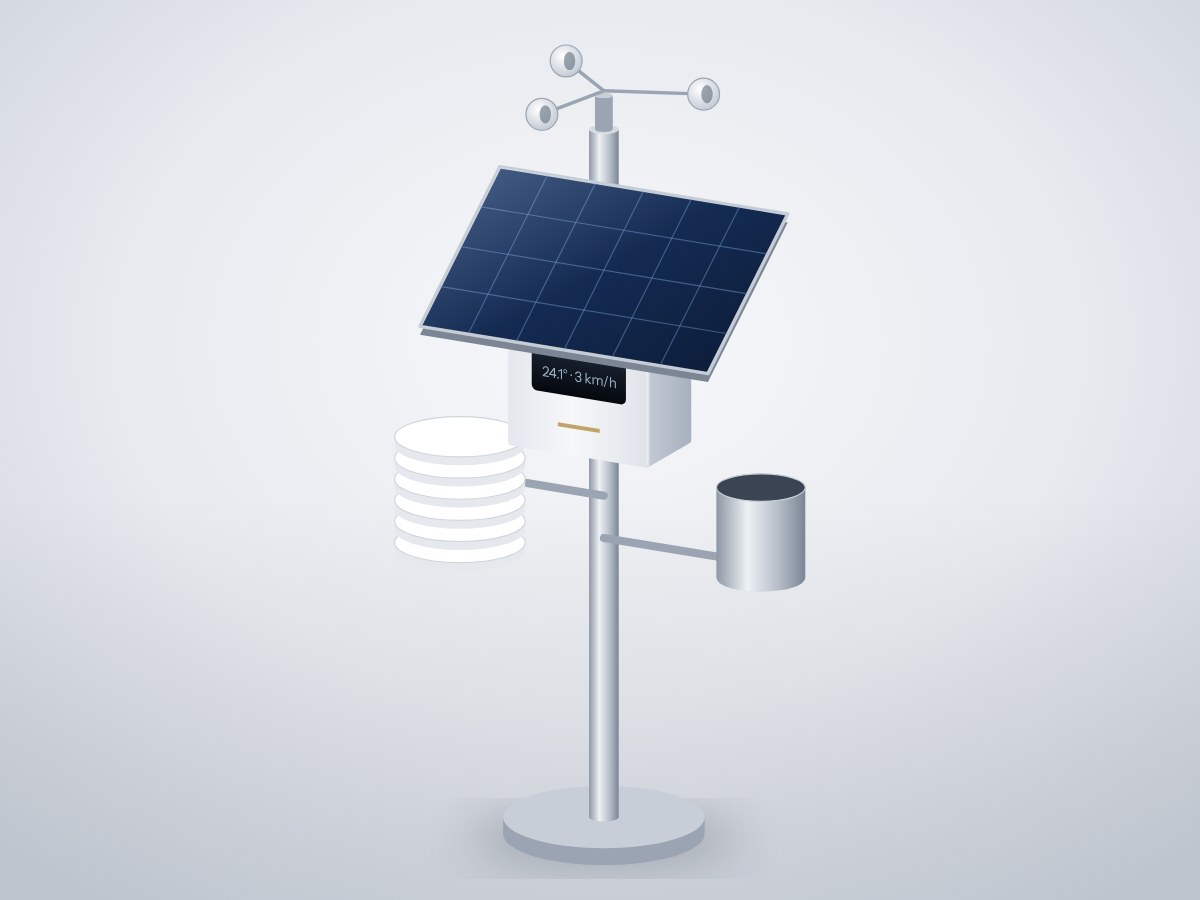
An off-grid weather station for a rooftop or farm. It measures temperature, humidity, pressure, rainfall and wind speed, runs on a small solar panel with a battery backup, and posts readings to a Wi-Fi dashboard every five minutes.
- Board
- ESP32 DevKit V1
- Difficulty
- Intermediate
- Build time
- ~6 hours
- Parts cost
- ~₹6,433
Solar weather station
Electrical7₹5,060
Microcontroller1₹704
Power4₹2,728
Sensor2₹1,628
Mechanical14₹1,373
3D printed9₹1,065
Hardware5₹308
How it works
Farmers, schools and hobbyists want local weather, not the nearest airport's. This station measures it where it matters and needs no mains power.
A BME280 inside a printed radiation shield reads temperature, humidity and pressure. A tipping-bucket rain gauge and a cup anemometer each close a reed switch; the ESP32 counts the pulses to get millimetres of rain and wind speed.
A 6 V solar panel charges an 18650 cell through a solar power manager that also gives the board a steady 5 V. The ESP32 sleeps its radio between uploads, so a cloudy week doesn't drain the battery.
Typical online prices in USD; they vary by supplier and quantity. Shop links search for the exact part number.
Drag to pan, scroll to zoom, hover a wire to trace it.
Pin map
| From | To | Wire | Purpose |
|---|---|---|---|
| + 6 V 2 W solar panel | SOLAR+ Solar power manager | Red | Solar in |
| - 6 V 2 W solar panel | SOLAR- Solar power manager | Black | Ground |
| + 18650 Li-ion cell with holder | BAT+ Solar power manager | Red | Battery |
| - 18650 Li-ion cell with holder | BAT- Solar power manager | Black | Ground |
| 5V Solar power manager | VIN ESP32 DevKit V1 | Red | 5 V to board |
| GND Solar power manager | GND ESP32 DevKit V1 | Black | Common ground |
| 3V3 ESP32 DevKit V1 | VCC Temperature, humidity and pressure sensor | Red | Power |
| GND ESP32 DevKit V1 | GND Temperature, humidity and pressure sensor | Black | Ground |
| GPIO21 ESP32 DevKit V1 | SDA Temperature, humidity and pressure sensor | Blue | Weather data |
| GPIO22 ESP32 DevKit V1 | SCL Temperature, humidity and pressure sensor | Green | Signal |
| GPIO25 ESP32 DevKit V1 | SIG Tipping-bucket rain gauge | Yellow | Rain pulses |
| GND ESP32 DevKit V1 | GND Tipping-bucket rain gauge | Black | Ground |
| GPIO26 ESP32 DevKit V1 | SIG Cup anemometer | Orange | Wind pulses |
| GND ESP32 DevKit V1 | GND Cup anemometer | Black | Ground |
Tools & assumptions
Tools
- Soldering iron and solder
- Wire stripper
- Screwdrivers and spanner
- Multimeter
- 3D printer (ASA) or a printing service
Assumptions
- Arduino IDE 2 with the ESP32 board package
- A pole or railing with full sun and open wind
Prepare
0/1- 1.1
Print the parts
3D printer (ASA) or a printing serviceRadiation shield platesMechanicalSolar panel tilt mountMechanical
Wire
0/3- 2.1
Wire the power path
Main controllerESP32 DevKit V16 V 2 W solar panelMonocrystalline 6V 330mA panelSolar power managerDFRobot DFR0559 (Solar Power Manager 5V)18650 Li-ion cell with holderProtected 18650, 3000 mAhSolar panel tilt mountMechanical - 2.2
Wire the BME280
Radiation shield platesMechanicalPG7 cable glandsMechanical - 2.3
Wire the rain and wind sensors
Tipping-bucket rain gaugeReed-switch rain gauge (SparkFun SEN-15901 set)Cup anemometerReed-switch anemometer (SEN-15901 set)
Program
0/1- 3.1
Flash and connect
Test
0/1- 4.1
Bench test
Tipping-bucket rain gaugeReed-switch rain gauge (SparkFun SEN-15901 set)Cup anemometerReed-switch anemometer (SEN-15901 set)
Assemble
0/1- 5.1
Mount outdoors
6 V 2 W solar panelMonocrystalline 6V 330mA panelCup anemometerReed-switch anemometer (SEN-15901 set)Radiation shield platesMechanicalSolar panel tilt mountMechanical
Install first: Adafruit BME280 Library, Adafruit Unified Sensor
#include <WiFi.h>
#include <WebServer.h>
#include <Wire.h>
#include <Adafruit_BME280.h>
const char* WIFI_NAME = "your-wifi";
const char* WIFI_PASS = "your-password";
const int RAIN_PIN = 25, WIND_PIN = 26;
const float MM_PER_TIP = 0.2794, KMH_PER_HZ = 2.4;
Adafruit_BME280 bme;
WebServer server(80);
volatile unsigned long rainTips = 0, windClicks = 0, lastRain = 0, lastWind = 0;
float tempC, rh, hPa, windKmh, rainTodayMm;
void IRAM_ATTR onRain() { if (millis() - lastRain > 150) { rainTips++; lastRain = millis(); } }
void IRAM_ATTR onWind() { if (millis() - lastWind > 10) { windClicks++; lastWind = millis(); } }
void handleRoot() {
char html[400];
snprintf(html, sizeof html,
"<meta name=viewport content='width=device-width'><h2>Weather</h2>"
"<p>%.1f °C · %.0f%% RH · %.0f hPa</p><p>Wind %.1f km/h</p><p>Rain today %.1f mm</p>",
tempC, rh, hPa, windKmh, rainTodayMm);
server.send(200, "text/html", html);
}
void setup() {
Serial.begin(115200);
Wire.begin(21, 22);
bme.begin(0x76);
bme.setSampling(Adafruit_BME280::MODE_FORCED); // sleep between reads
pinMode(RAIN_PIN, INPUT_PULLUP); pinMode(WIND_PIN, INPUT_PULLUP);
attachInterrupt(RAIN_PIN, onRain, FALLING);
attachInterrupt(WIND_PIN, onWind, FALLING);
WiFi.begin(WIFI_NAME, WIFI_PASS);
WiFi.setSleep(true); // modem sleep saves battery
while (WiFi.status() != WL_CONNECTED) delay(250);
Serial.println(WiFi.localIP());
server.on("/", handleRoot); server.begin();
}
void loop() {
server.handleClient();
static unsigned long windStart = millis();
if (millis() - windStart >= 5000) { // 5-second wind average
noInterrupts(); unsigned long clicks = windClicks; windClicks = 0; interrupts();
windKmh = clicks / 5.0 * KMH_PER_HZ;
windStart = millis();
bme.takeForcedMeasurement();
tempC = bme.readTemperature(); rh = bme.readHumidity(); hPa = bme.readPressure() / 100.0;
rainTodayMm = rainTips * MM_PER_TIP;
}
delay(10);
}
After flashing, open the serial monitor to see live readings from your board.
- Every wire lands on a real pin14 connections checked against the ESP32 DevKit V1 pinout.
- Pins match what each part needsPWM, analog, I²C and input-only rules all hold.
- No pin is double-bookedEach signal pin drives one part; shared buses are wired correctly.
- Supply voltages matchEvery part is on a rail it is rated for.
- Signal levels are compatibleAll parts work with 3.3 V logic.
- Everything shares a common groundAll parts with a GND pin are connected.
- Current draw is within limits~1 mA from the board, 0% of what the ESP32 DevKit V1 can supply.
- Everything fits in the enclosure3 parts placed inside a 140 × 90 × 55 mm case with no overlaps.
Before you buy parts in bulk or sell what you build, have a qualified engineer review the design.
Discussion
No comments yet. Ask a question, share your build, or suggest an improvement.
Sign in to join the discussion.